
# FinClip Introduction
FinClip consists of three parts: Cloud, Client, and Developer Tools:
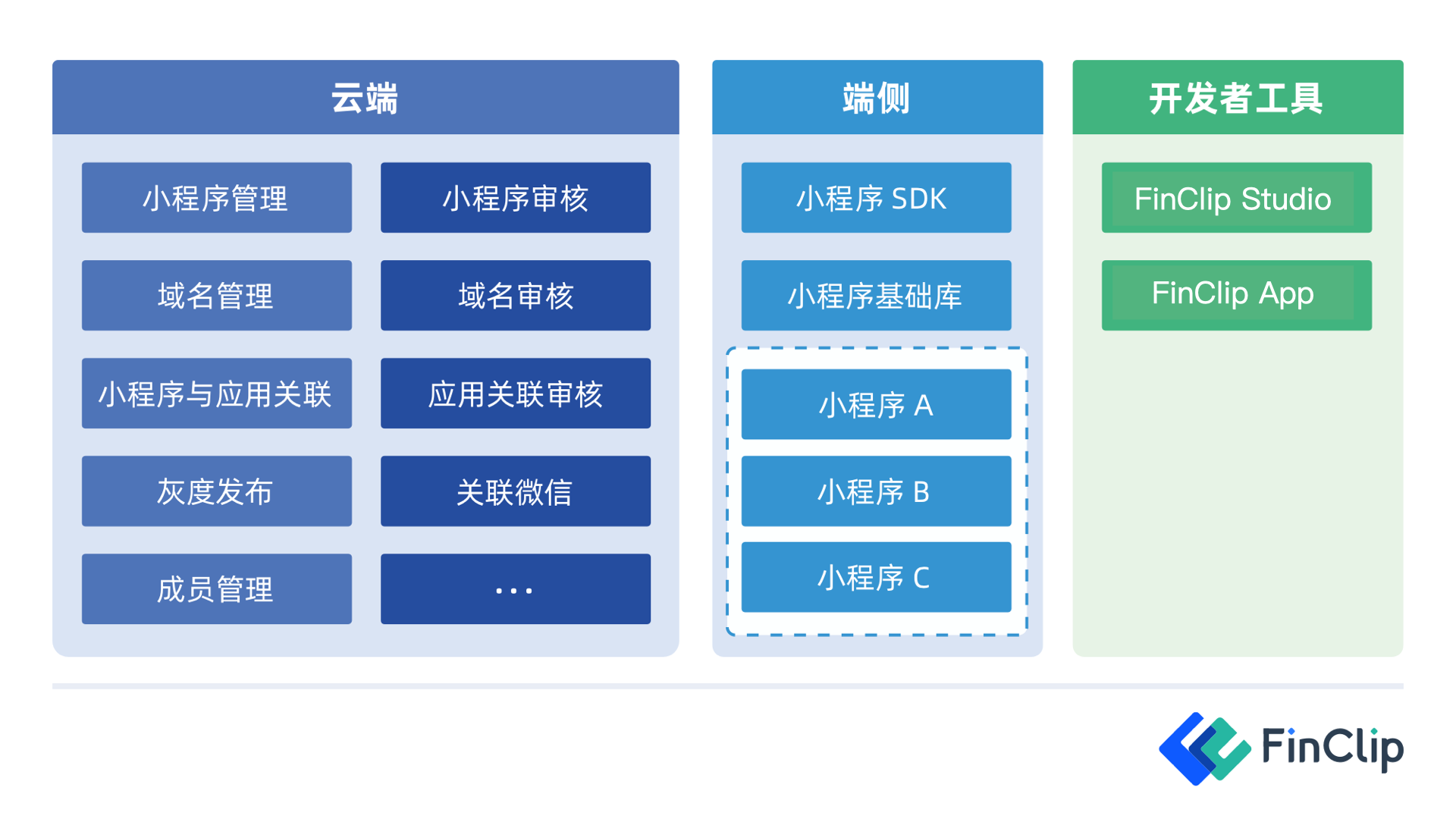
- Cloud refers to the
FinClip Management Console(opens new window), which manages the entire lifecycle of Mini-Programs, including development and publishing; - Client refers to the
FinClip Mini-Program SDK, representing mobile Apps or various smart devices integrated with the FinClip Mini-Program SDK, providing them with the capability to run Mini-Programs; - Developer Tools are primarily used for writing, debugging, uploading, and previewing Mini-Program code.
# How Does the FinClip Mini-Program SDK Work?
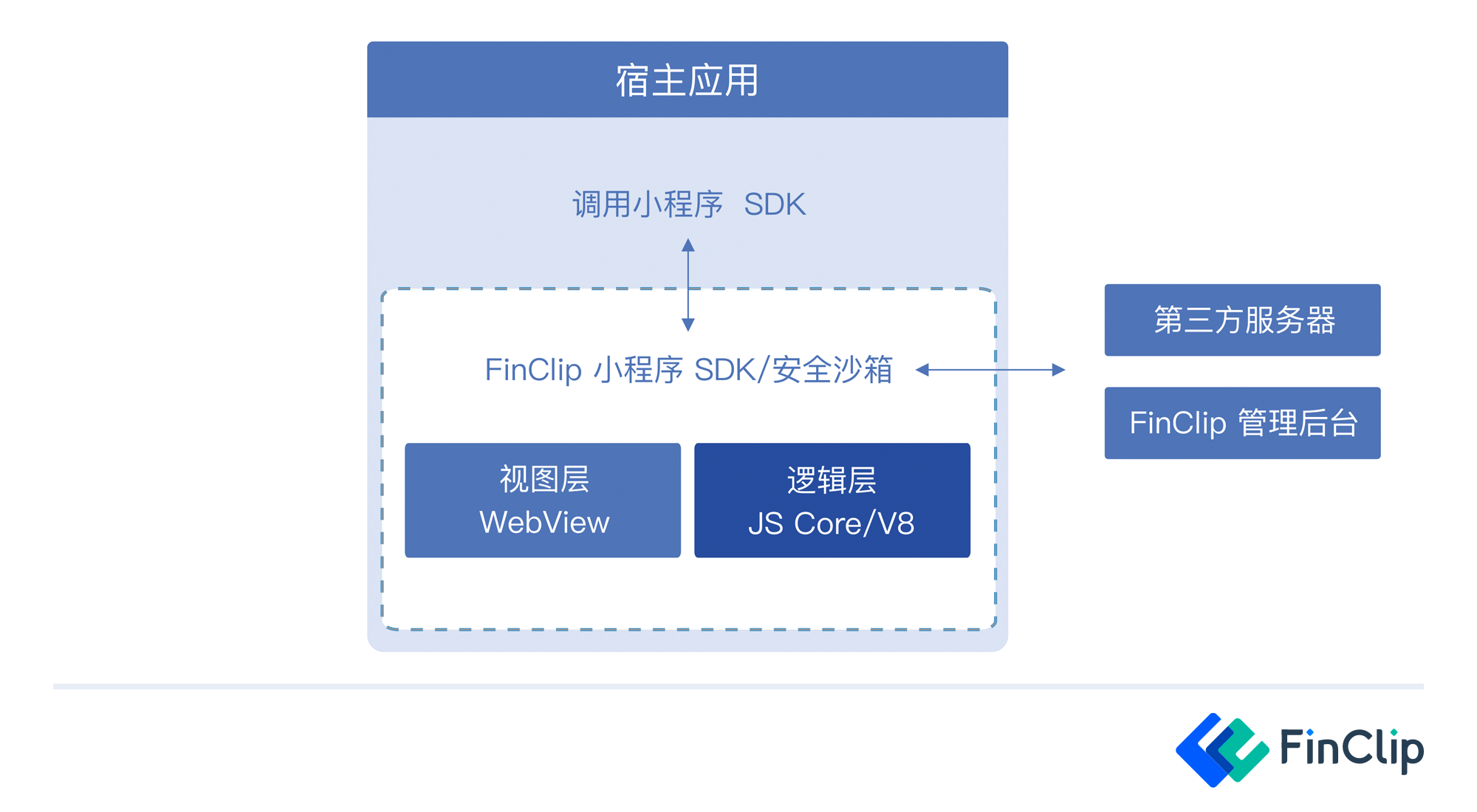 The FinClip Mini-Program SDK provides a Security Sandbox and Host Environment capable of running Mini-Program business code:
- The
Security Sandboxis responsible for protecting the business applications within the Mini-Program, transmitting data in a secure and trusted environment to avoid interference and eavesdropping by third parties; - The
Host Environmentis responsible for executing the Mini-Program JS business logic code and uses WebView to render and display Mini-Program pages (Learn more).
# Desktop SDK Integration Guide
# Others...
If you need to view related DEMO showcases, you can check our Github (International) (opens new window) and Gitee (China) (opens new window) repositories.
