
# Detailed Explanation of Event and Funnel Statistics
# I. Overview of Event and Funnel Analysis
Event analysis involves tracking specific events triggered by users within a Mini-Program (such as button clicks, form submissions, etc.), analyzing the frequency of these events and related user behaviors to optimize feature design and enhance user engagement. Funnel analysis is an important application scenario within event analysis, used to analyze user conversion and drop-off rates in multi-step processes.
In this document, we use actual business scenarios as examples to help you further understand FinClip's event statistics functionality. By following the guidance and introductions on this page, you can gain deeper insights into FinClip's event and funnel statistics features and implement statistical requirements for your own projects based on practical business scenarios.
# II. Payment Funnel Event Analysis Case Study
# 1. Defining Funnel Steps for Payment Flow
Assume that in an actual business scenario, a user behavior flow contains key steps for "payment event conversion," and we need to track conversion and drop-off rates within this flow.

Therefore, we have designed the following three events for this flow:
- User clicks the "Pay Now" button (Event A)
- User selects a payment method (Event B)
- User completes payment and returns to the payment success page (Event C)
# 2. Management Console Event Configuration
Follow these steps to configure events in the FinClip Management Console:
- Navigate to the Event Management Page: Log in to the FinClip Management Console and enter the "Event Analysis" module.
- Create Events:
# Event A (Click "Pay Now" Button):
- Event ID:
click_pay_button - Event Name:
Click Pay Now Button - Attributes:
page(page path, string type)amount(payment amount, number type)
# Event B (Select Payment Method):
- Event ID:
select_payment_method - Event Name:
Select Payment Method - Attributes:
method(payment method, string type, e.g., "WeChat Pay," "Alipay," etc.)page(page path, string type)
# Event C (Payment Success):
- Event ID:
payment_success - Event Name:
Payment Success - Attributes:
page(page path, string type)transaction_id(transaction ID, string type)
# Configure Funnel Analysis:
- In the Funnel Analysis module, create a new funnel model.
- Add Steps:
- Step 1:
click_pay_button - Step 2:
select_payment_method - Step 3:
payment_success
- Step 1:
- Set the time range and window period (e.g., time range of 1 day, window period of 1 hour).
Configuration Screenshots
First, add corresponding events (Analysis > Event Statistics > Event Management) and attributes (Analysis > Event Statistics > Attribute Management) in the Management Console.
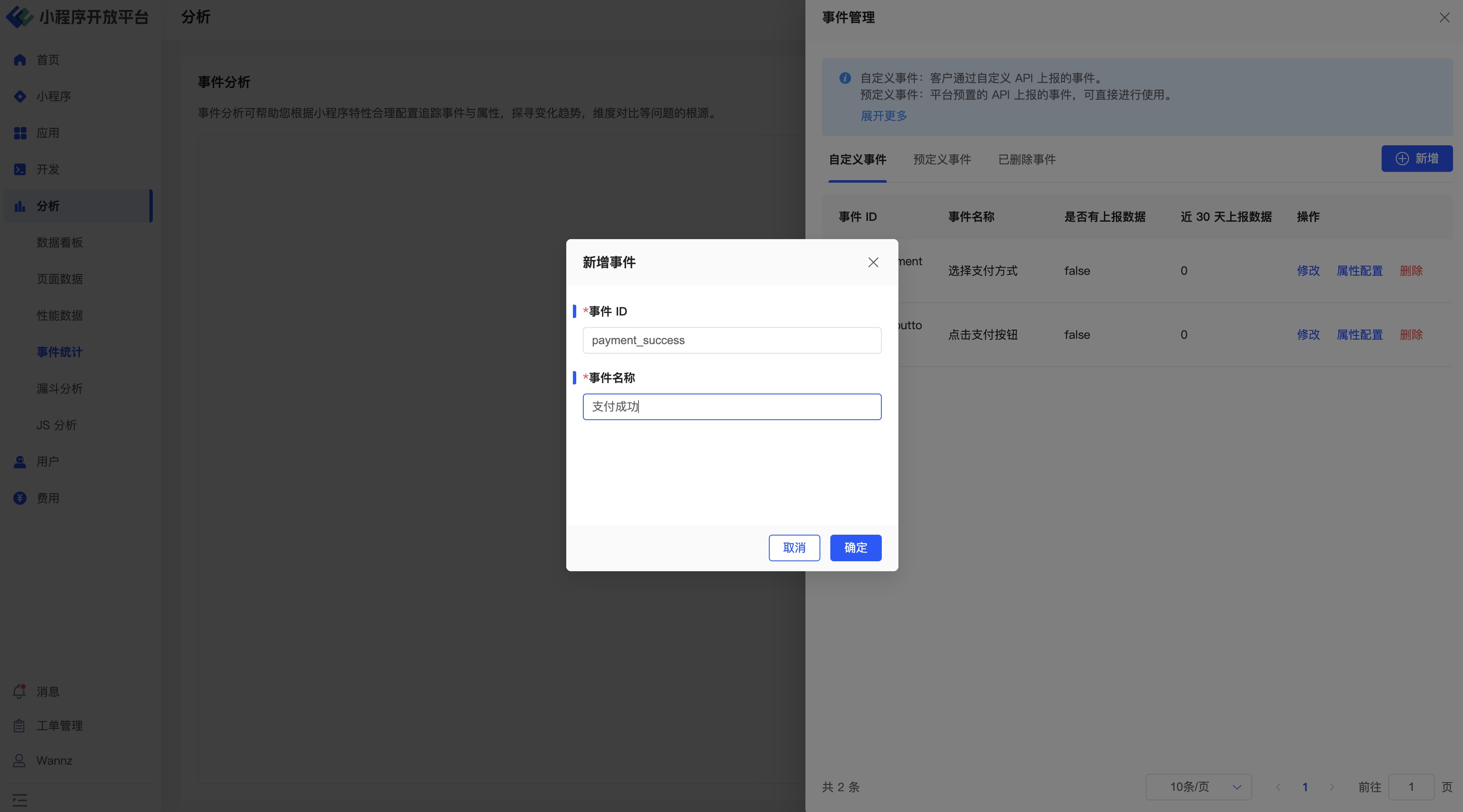
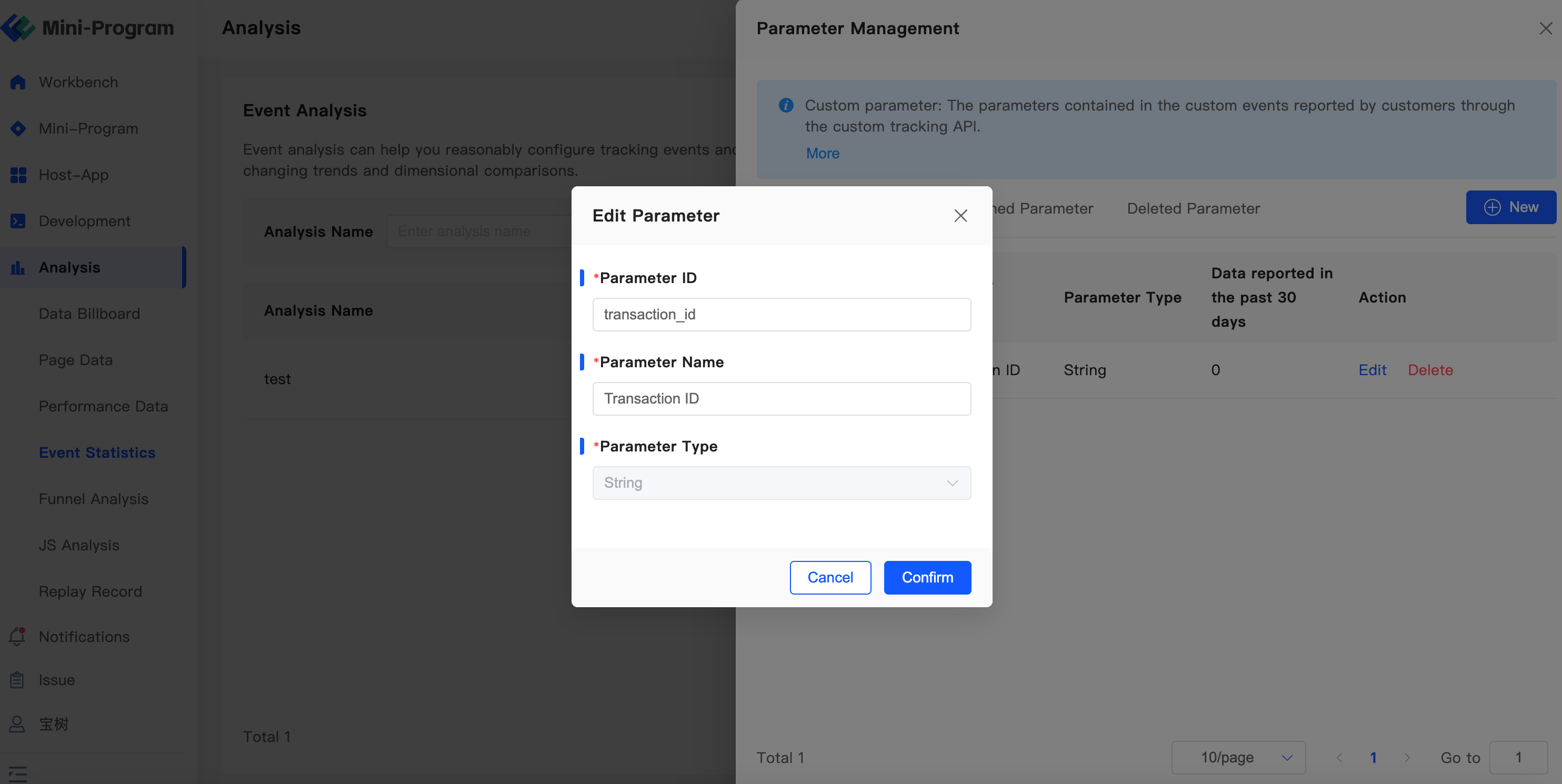
After completing events and attributes, return to Event Management to modify attribute configurations and associate events with their respective attributes.
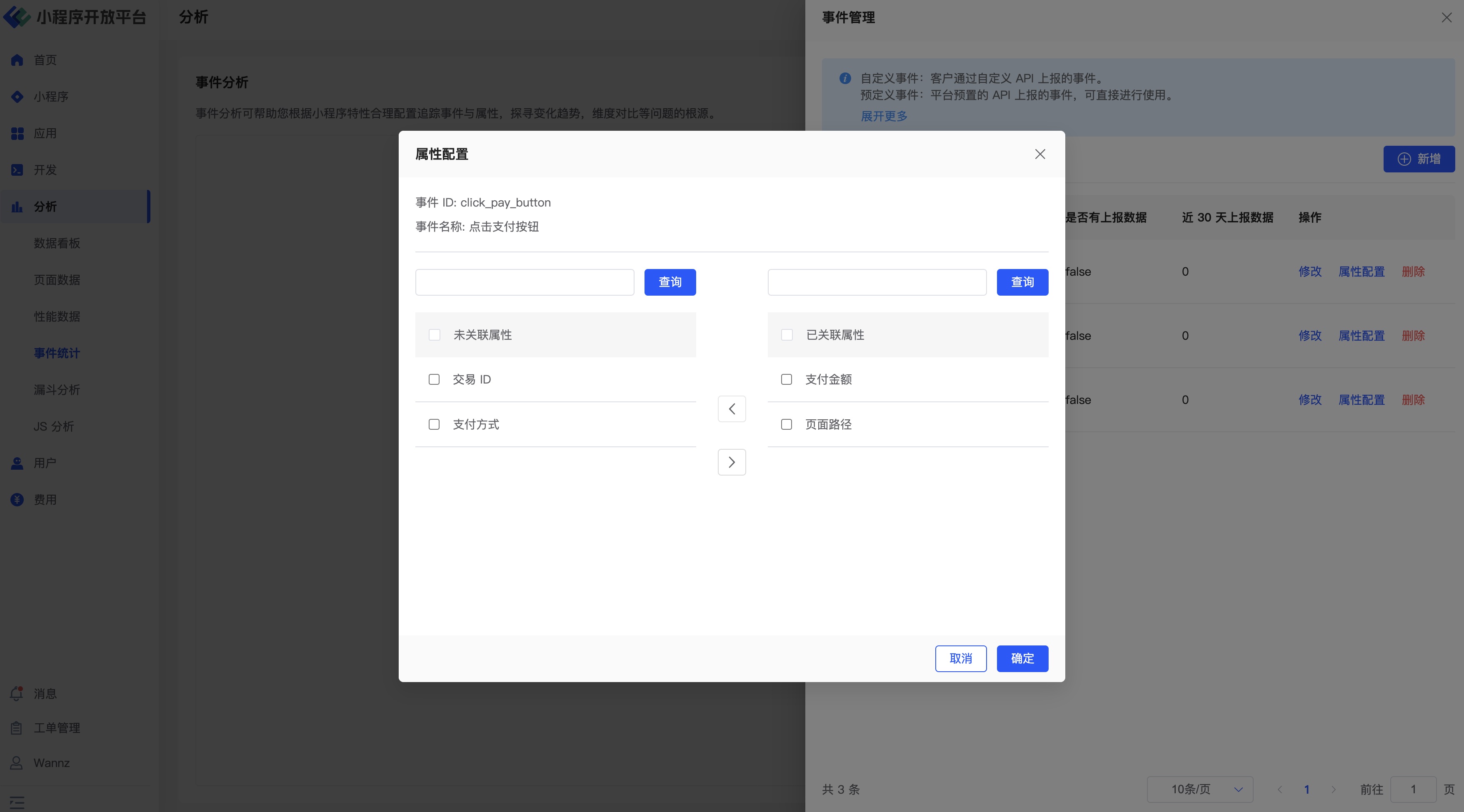
Finally, return to Funnel Design to add associated statistical funnels and analyses (Analysis > Funnel Analysis > Add Funnel / Add Analysis).
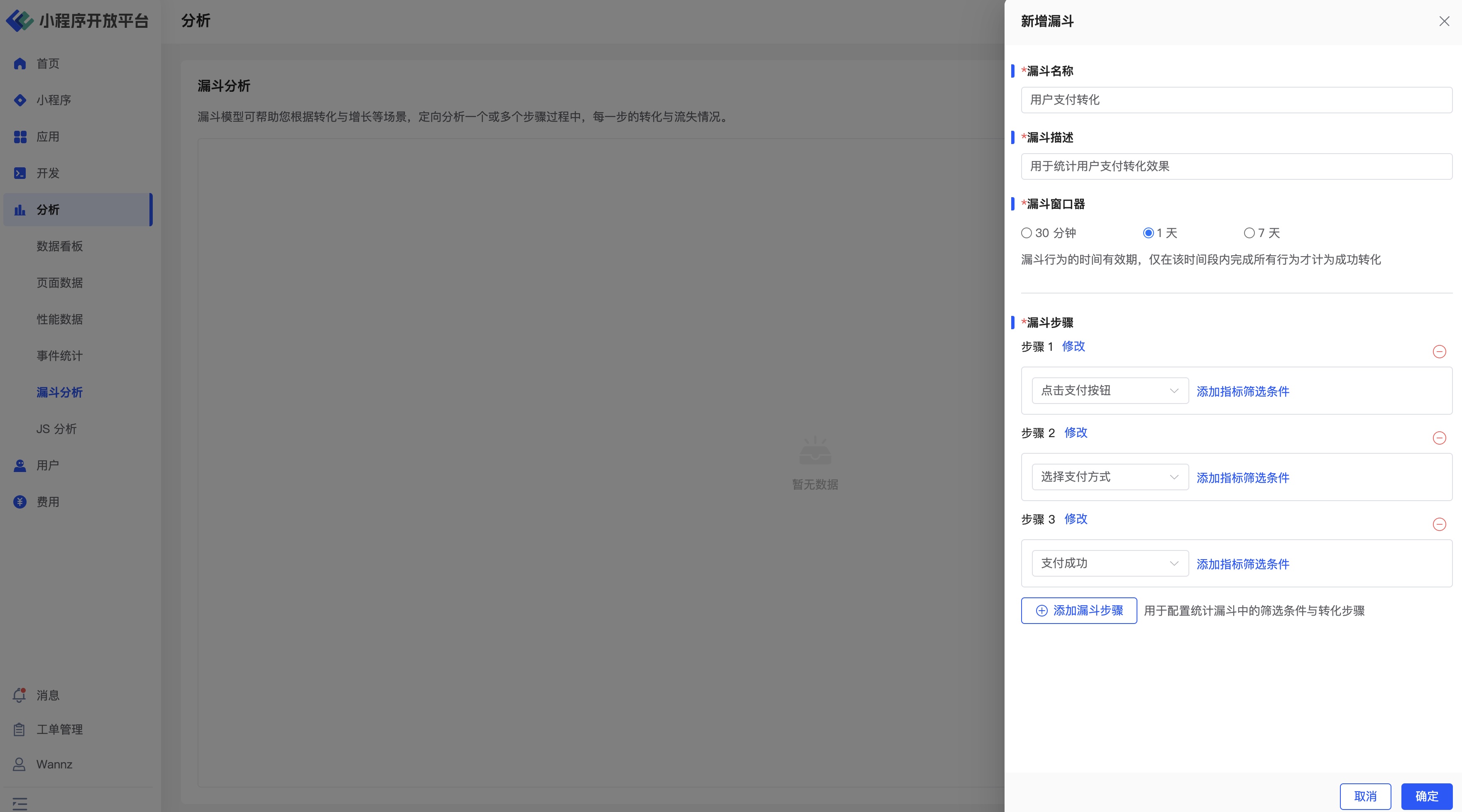
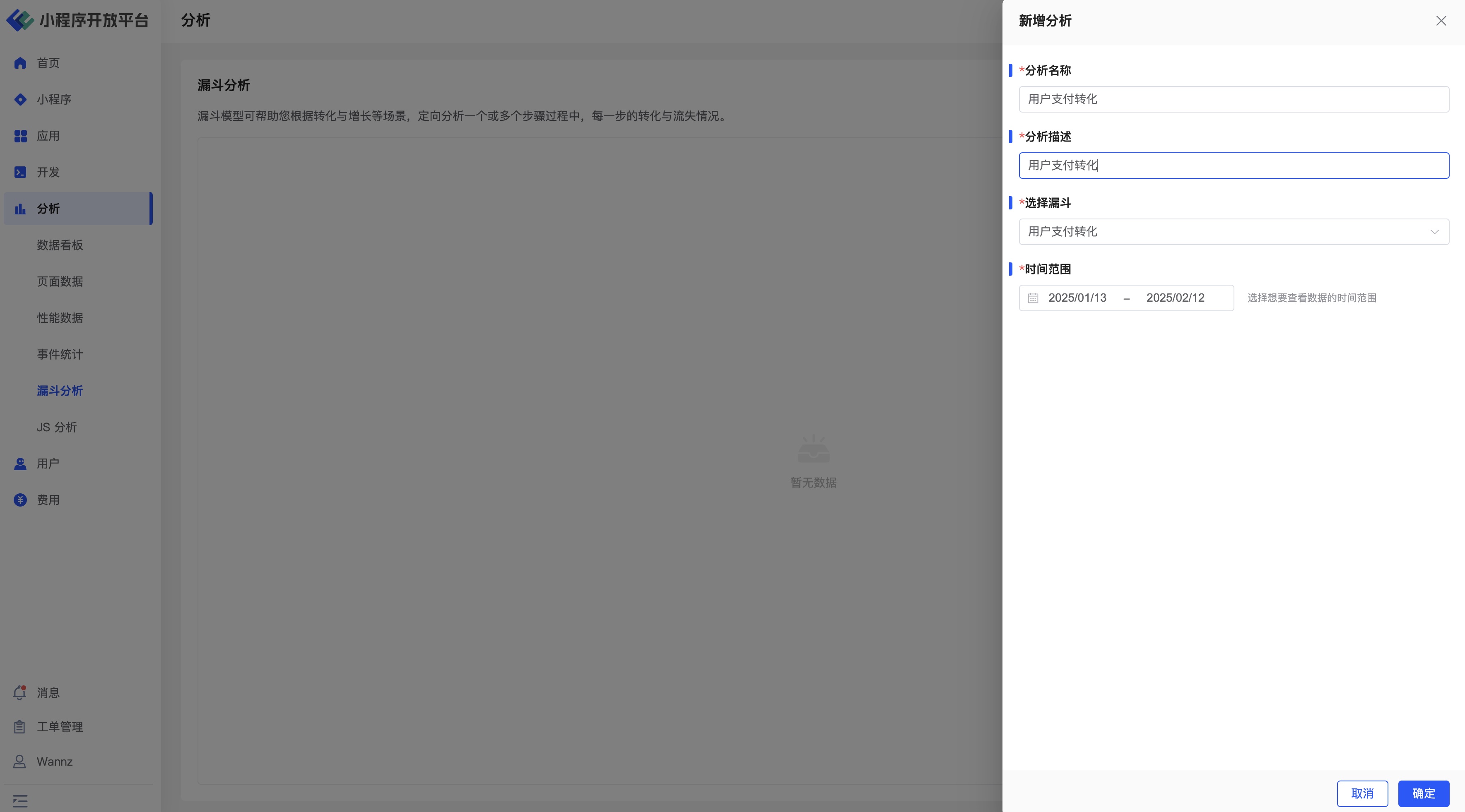
Once created, the statistical funnel will be visible on the Funnel Analysis page for monitoring flow conversion effectiveness.
# 3. Mini-Program Event Reporting
In the Mini-Program code, use the ft.reportEvent API to report events. Below are specific reporting code examples:
# Event A (Click "Pay Now" Button):
// In the payment button's click event
ft.reportEvent('click_pay_button', {
  page: '/pages/pay/index',
  amount: 100.00
});
# Event B (Select Payment Method):
// In the payment method selection callback
ft.reportEvent('select_payment_method', {
  method: '微信支付',
  page: '/pages/pay/method'
});
# Event C (Payment Success):
// In the payment success callback
ft.reportEvent('payment_success', {
  page: '/pages/pay/success',
  transaction_id: '123456789'
});
Mini-Program Code Screenshots
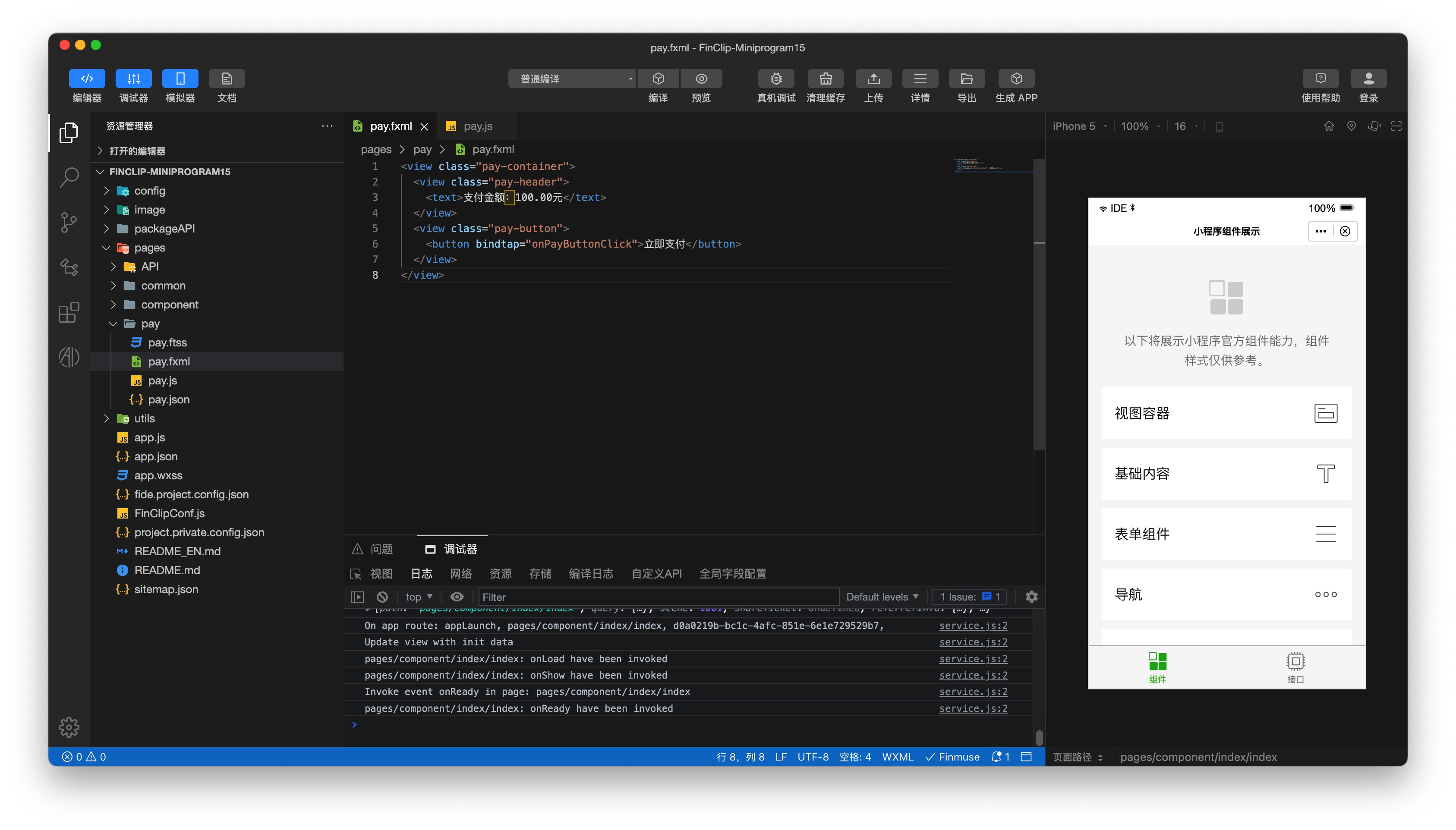
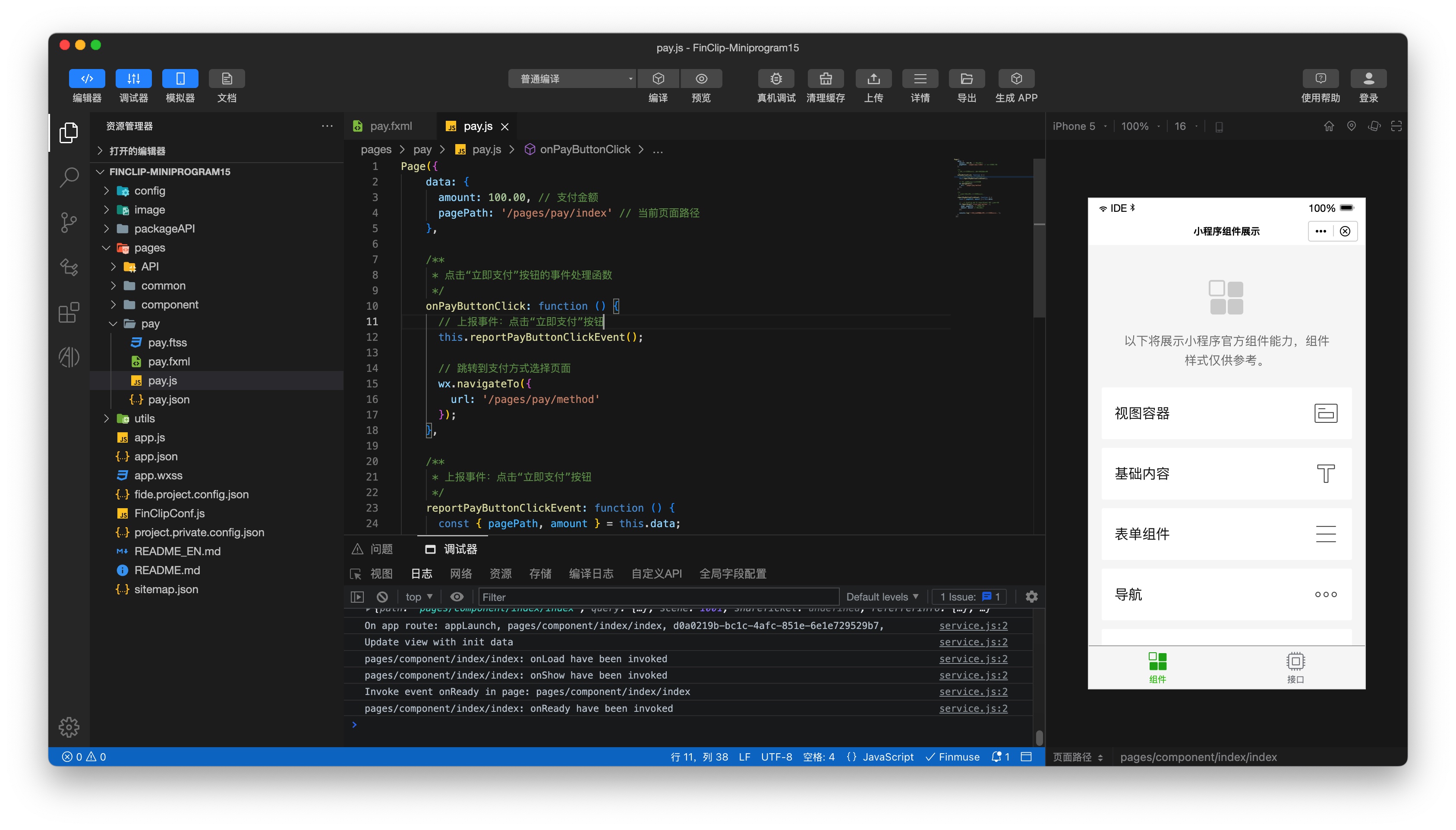
In the Mini-Program page code, you primarily need to configure the page structure and page logic code, as shown in the following images:
# 4. Mobile Payment Terminal Event Reporting (Android Example)
In mobile applications (e.g., Android), use the event reporting methods provided by the FinClip SDK. Below are specific reporting code examples:
# Event A (Click "Pay Now" Button):
// In the payment button's click event
Map<String, Object> eventData = new HashMap<>();
eventData.put("page", "/pages/pay/index");
eventData.put("amount", 100.00);
FinAppClient.reportEvent("click_pay_button", eventData);
# Event B (Select Payment Method):
// In the payment method selection callback
Map<String, Object> eventData = new HashMap<>();
eventData.put("method", "微信支付");
eventData.put("page", "/pages/pay/method");
FinAppClient.reportEvent("select_payment_method", eventData);
# Event C (Payment Success):
// In the payment success callback
Map<String, Object> eventData = new HashMap<>();
eventData.put("page", "/pages/pay/success");
eventData.put("transaction_id", "123456789");
FinAppClient.reportEvent("payment_success",eventData);
# III. Data Analysis and Optimization
Through the Funnel Analysis module in the FinClip Management Console, you can view conversion rates and drop-off points in the payment flow:
- Conversion Rate Analysis: Examine the conversion rate from clicking the payment button to successful payment, analyze conversion rates at each step, and identify stages with lower conversion rates.
- Drop-off Analysis: Analyze user drop-off points within the payment flow. For example, if many users drop off during payment method selection, it may indicate issues with payment method convenience or availability.
- Optimization Suggestions:
- If significant drop-off occurs during payment method selection, optimize the display and selection process of payment methods and consider adding more options.
- If drop-off is high on the payment success page, enhance the post-payment user experience by offering coupons, recommending related products, etc.
By following these steps, you can conduct detailed event analysis and funnel analysis for payment flows, helping developers optimize payment processes and improve user payment conversion rates. We hope this explanation assists developers in better understanding and utilizing FinClip's event analysis functionality.
# IV. Related Documentation
Refer to the following documents for further customization of event configurations to meet additional statistical analysis business requirements.
- Mini-Program Event Reporting API: Development / API / Others / reportEvent (opens new window)
- Event Reporting API (iOS): Mini-Program SDK / iOS / iOS API / Others / Custom Event Data Reporting (opens new window)
- Event Reporting API (Android): Mini-Program SDK / Android / Android API / Others / Report Custom Event API (opens new window)
