Deconstructing the Monolith: A CTO’s Roadmap for Super App Migration
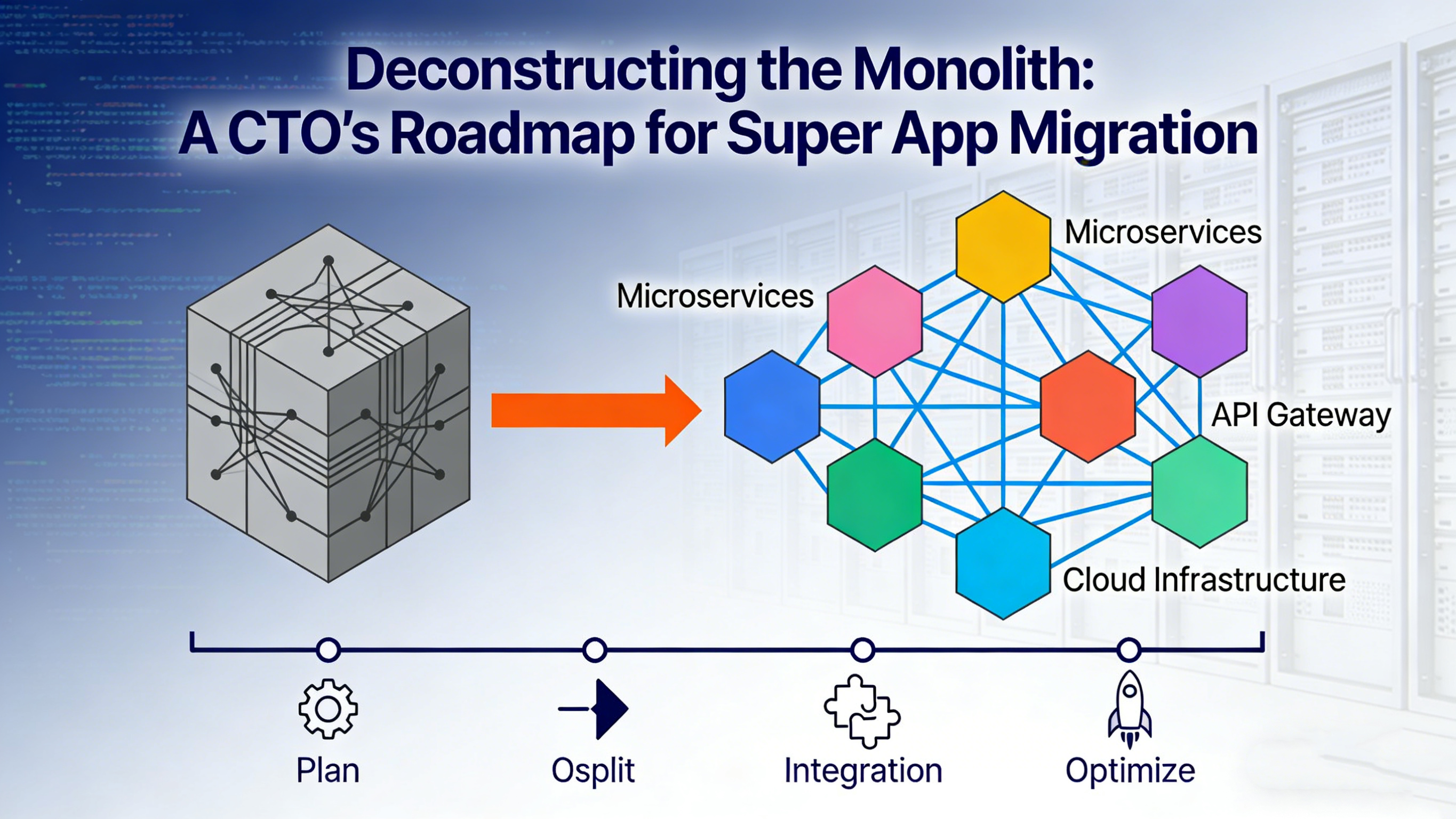
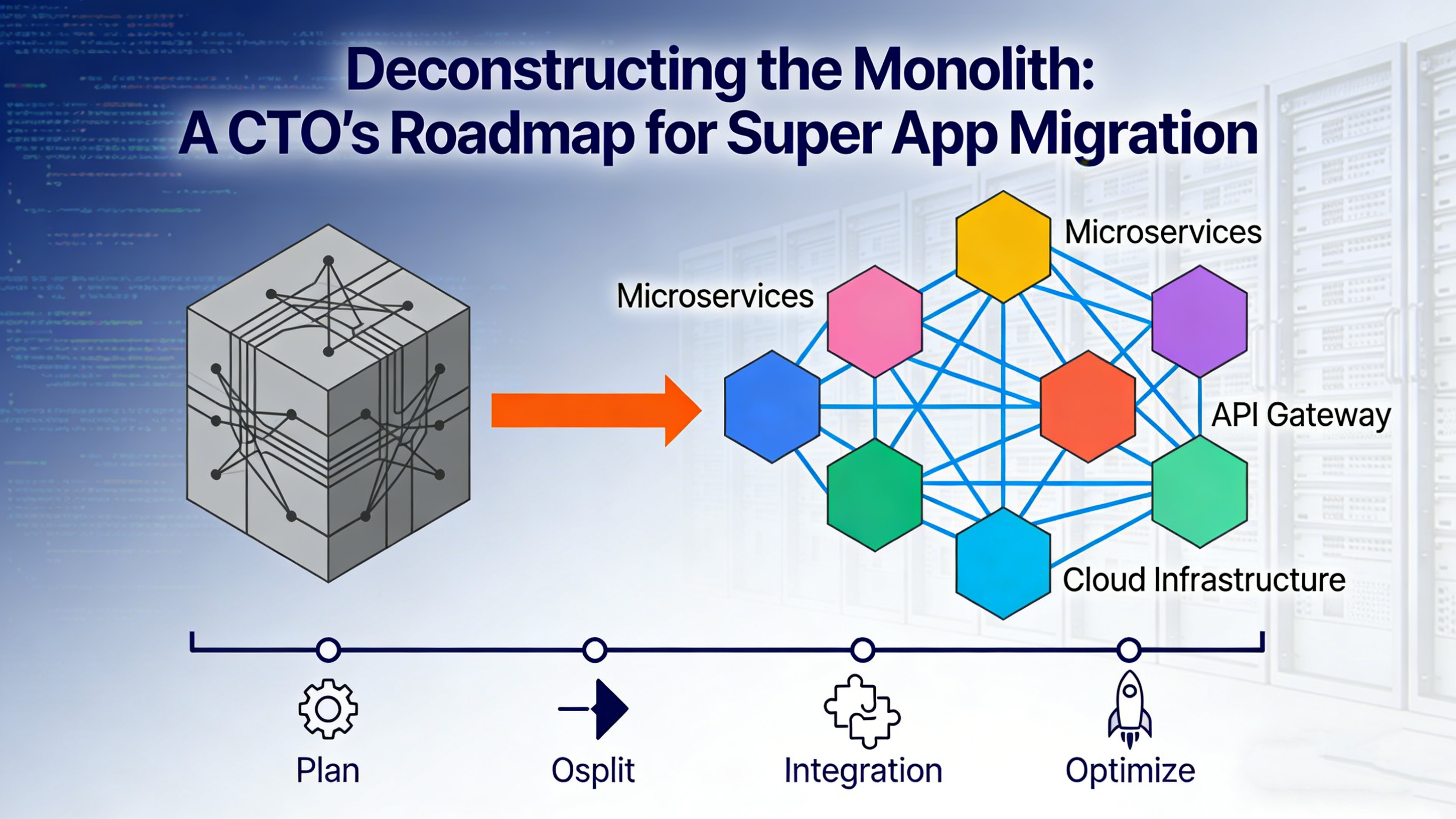
Introduction: The Monolith’s Ceiling
Every successful mobile application eventually hits the "Monolith Ceiling."
In the early startup phase, a monolithic architecture—where all UI, business logic, and data access layers reside in a single codebase—is efficient. It is simple to build, test, and deploy. However, as the organization scales, the monolith becomes a liability.
- Compilation Hell: Build times creep from minutes to hours.
- Dependency Nightmares: A library update for the Marketing module breaks the Payment module.
- Release Paralysis: You cannot ship a critical bug fix for Feature A because Feature B is still in QA. The release cycle slows to the pace of the slowest team.
For the modern enterprise CTO, the goal is Agility. The solution is Decoupling.
In the backend world, this problem was solved by moving from Monoliths to Microservices. In the mobile world, the equivalent architectural shift is moving from a Native Monolith to a Super App Architecture powered by Mini-Apps.
This article outlines a pragmatic, step-by-step roadmap for migrating a legacy mobile application to a FinClip-based Super App ecosystem without stopping the business.
Phase 1: The Architectural Assessment (What Goes Where?)
The first mistake in migration is attempting to rewrite everything. This leads to the "Second System Effect"—a project that is never finished. Instead, you must adopt a hybrid strategy.
You need to audit your existing codebase and categorize modules into two buckets: The Host (Native) and The Mini-Apps (FinClip).
1. The Host Kernel (Keep Native)
Certain components must remain native to ensure performance and stability. These constitute the "Kernel" of your Super App:
- Navigation Shell: The bottom tab bar and global routing.
- Global Singletons: Authentication state (SSO), Network Client, Analytics SDKs.
- High-Performance UI: Interactive Maps (Google/Apple Maps), AR/VR views, or complex animations (Lottie/Rive).
- Device Hardware: Biometrics, Bluetooth Low Energy (BLE) background services.
2. The Business Modules (Move to FinClip)
These are the candidates for migration. They are typically form-based, content-heavy, or subject to frequent business rule changes:
- User Flows: Onboarding, KYC, Profile Management.
- Transactional Flows: Transferring money, Booking tickets, E-commerce checkout.
- Marketing Modules: Loyalty programs, Seasonal campaigns, Refer-a-friend.
- Long-tail Features: Help Center, Settings, Feedback forms.
The Rule of Thumb: If it changes faster than your App Store release cycle, it belongs in FinClip.
Phase 2: The "Strangler Fig" Migration Pattern
How do you move from A to B while the plane is flying? We apply the Strangler Fig Pattern (pioneered by Martin Fowler).
In nature, a Strangler Fig tree grows around an existing tree, eventually replacing it. In software, we build the new architecture around the edges of the monolith, gradually replacing functionality until the monolith is merely a thin shell.
Step 1: Embed the Runtime
Do not delete any code yet. Simply integrate the FinClip SDK into your existing iOS/Android project. Initialize the SDK in your AppDelegate or Application class. This adds the "Virtual Machine" capability to your app.
Step 2: New Features First
Enforce a policy: "All NEW business features must be built as Mini-Apps."
If the Product Team wants a new "Holiday Gift Card" feature, do not write it in Swift/Kotlin. Write it in JavaScript/HTML using FinClip.
- Result: You stop the monolith from growing. You validate the FinClip pipeline with low-risk features.
Step 3: Vertical Slicing (The Strangling)
Identify a self-contained module in the legacy app, for example, the "Settings" screen or the "Coupon Center."
- Rebuild this module as a FinClip Mini-App.
- Route the navigation in the Native App to open the Mini-App container instead of the native ViewController/Activity.
- Delete the legacy native code for that module.
- Repeat for the next module.
Over 6-12 months, your massive native binary shrinks, and your cloud-hosted mini-app repository grows.
Phase 3: The Integration Layer (Building the Bridge)
The success of this architecture depends on the Bridge—the communication channel between the Native Host and the Mini-Apps. FinClip provides standard APIs, but an Enterprise App needs custom capabilities.
You must architect a Custom API Layer.
Exposing Native Capabilities
Your legacy app likely has valuable native logic (e.g., a proprietary encryption algorithm or a specific SDK for a fingerprint scanner). You don't want to rewrite this in JS.
Instead, you register a Custom API in FinClip.
- JS Side: ft.invoke('mySecureEncrypt', { data: '...' })
- Native Side: The FinClip SDK intercepts this, runs your existing Objective-C/Java encryption code, and returns the result.
This allows your Mini-Apps to be lightweight "Views" while the Native Host remains the heavy "Worker."
Synchronizing State
A common challenge is sharing state (e.g., "Is the user logged in?").
- The Injection Pattern: When a Mini-App launches, the Host App should inject the current AuthToken and UserTheme into the Mini-App's startup parameters.
- The Event Bus: Use FinClip’s event system to handle global events. If the user logs out in the Mini-App, an event is emitted to the Native Host to clear the session and redirect to the login screen.
Phase 4: The DevOps Transformation
Moving to FinClip is not just a code change; it is a workflow change. It allows you to decouple your release pipelines.
The Two-Track Release Model
Track 1: The Host App Pipeline (Slow & Stable)
- Cycle: Monthly.
- Focus: SDK upgrades, Native UI changes, Core stability.
- Process: Rigorous QA, Regression Testing, App Store Submission.
Track 2: The Mini-App Pipelines (Fast & Fluid)
- Cycle: Daily or Weekly.
- Focus: Business logic, UI tweaks, Marketing content.
- Process: Automated Testing -> Publish to FinClip Cloud -> Grayscale Release -> Full Rollout.
CI/CD Integration
You should integrate the FinClip CLI (Command Line Interface) into your Jenkins/GitLab CI pipelines.
- When a developer pushes code to the "Coupon-Mini-App" repo, the CI server automatically builds the package, runs unit tests, and uploads it to the FinClip backend as a "Development Version" for QA to review.
Conclusion: The Agility Dividend
Migrating to a Super App architecture is a significant engineering investment. However, the dividends are immediate and long-lasting.
By deconstructing the monolith with FinClip, you achieve:
- Resilience: Failures are isolated to individual mini-apps.
- Speed: Feature teams ship independently of the platform team.
- Efficiency: Your Native App size drops significantly (often by 50%+), improving download rates.
For the CTO, this is the ultimate architectural win: You gain the stability of a Native App with the dynamic flexibility of the Web. You stop fighting the framework and start building the ecosystem.